
The 3 AI Tools That Replaced 3 Full-Time Roles in Our Post-Production
Okay fine. We're saying it.
We replaced three post-production roles with AI tools. Not fired-replaced. Evolved-replaced. But still — three humans were doing things that software now does faster, cheaper, and honestly? Without complaining about the brief changing at 11pm.
This isn't a think piece about the future of creativity. We're not going to say "AI is just a tool" six times and call it a blog. This is what actually happened inside our edit suite — the messy version, including the part where one tool confidently destroyed a client's face and we had to fix it manually for two hours.
1. The Colourist Who Never Sleeps
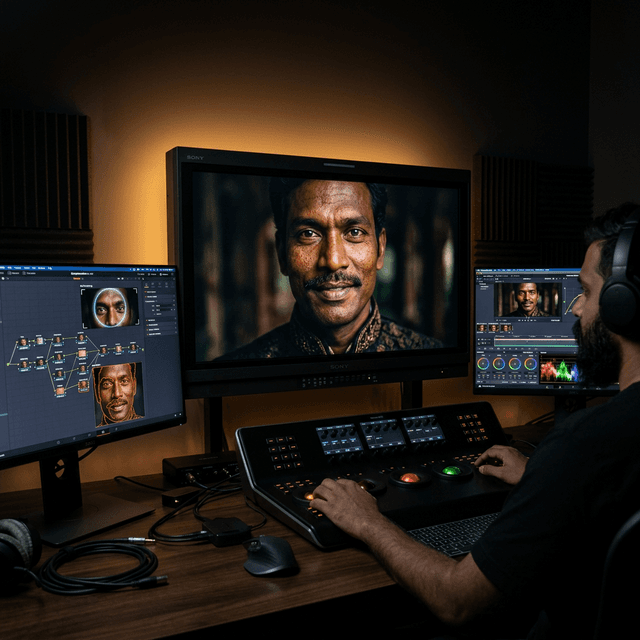
The tools: DaVinci Resolve + Colourlab AI
We had a colourist. Great guy. Genuinely talented. Also booked three weeks out every time we needed him, which in brand film terms means your client has already moved on emotionally and started a new relationship with another production house.
The combination that changed everything isn't just DaVinci Resolve alone — it's DaVinci running alongside Colourlab AI, which is the part nobody in Mumbai is talking about yet. Colourlab sits inside your existing edit workflow, watches how you grade, learns your style over time, and applies it across an entire project in minutes. Not a generic LUT. Your actual grading instincts, automated. They rebuilt it entirely in 2025 — it's now 22x faster than the original version and the results are genuinely unsettling in the best way.
The honest catch: It occasionally decides a person's forehead is part of the background and grades it the colour of a wall.
Human supervision is still non-negotiable. But a two-day colourist job on a 90-second brand film is now a four-hour in-house edit pass. We didn't lose colour grading. We lost the waiting.
2. The Motion Designer We Were Paying to Make Text Bounce
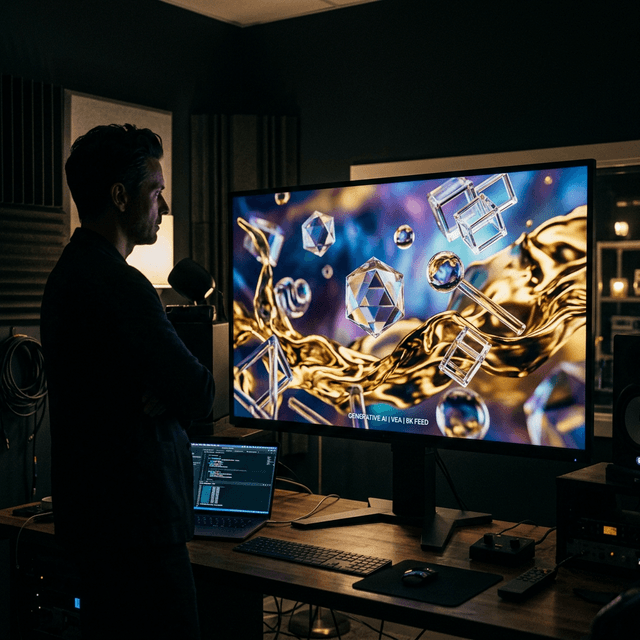
The tools: Google Veo 3 + Adobe Firefly
Controversial opinion: 70% of motion graphics work on social content is deeply, spiritually boring. Lower thirds. Logo animations. Text that slides in from the left because someone watched a tutorial in 2019. We were paying a motion designer full-time hours to make text bounce attractively.
Then Google Veo 3 arrived and quietly made everyone in post-production slightly anxious. It doesn't just generate video — it generates video with realistic physics, natural motion, and lighting that actually makes sense. Firefly handles the static asset generation directly inside the Adobe ecosystem — product cutouts, graphic elements, frame extensions when a 16:9 master needs to become a 9:16 reel without cropping someone's head off.
The honest catch: Veo 3 once generated a background for a product shot that could only be described as a fever dream — perfectly looping, deeply unsettling, hauntingly beautiful.
The motion designer on our team now does the work that actually matters — conceptual animation, branded motion systems, the stuff that needs taste. The bouncing text handles itself.
3. The Junior Editor Who Existed Entirely to Suffer Through Versioning
The tools: Descript + Reap
Versioning is the great unspoken trauma of post-production. It's where at least half your edit hours go — same film, seventeen slightly different versions, different lengths, different ratios, different music. It is creative purgatory.
Descript made transcript-based editing real. You read the interview transcript, delete the boring parts like you're editing a Google Doc, and the timeline updates. For talking-head content, this removed the junior editor from the first three rough cut rounds entirely.
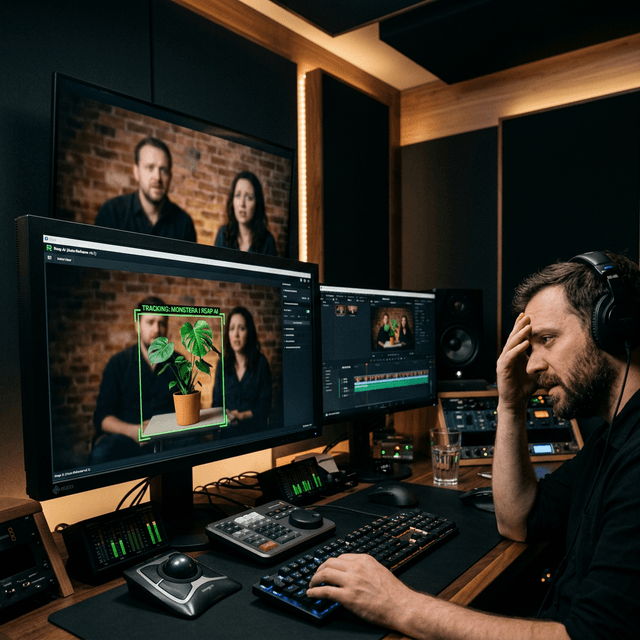
Reap handled the other thing nobody wants to do: multi-format repurposing. Feed it a master cut and it outputs 16:9, 9:16, and 1:1 versions with intelligent subject tracking, auto-captions, and batch export.
The honest catch: We once delivered a reframed cut where Reap decided the most important subject in a two-person interview was the plant in the background.
The plant was beautifully framed. Centred. Lit well. The two people who were supposed to be talking were in the corner, slightly panicked. We caught it. Barely.
The Part Where We're Actually Honest
Nobody got fired. Two people moved into roles that needed more brain and less repetition. What AI cannot do — and this is the only time we'll say something that sounds like a think piece — is make a bad shoot good. A badly directed film with flat performances and no concept doesn't get rescued by smart colour nodes. The plant will always be centred. The forehead will always be the wrong colour.
The tools took the grind. The creative decisions are still entirely, stubbornly human. We're just faster at the rest of it now.
Shooting something soon? Or stuck waiting on a post house that's quoting you three weeks?